# API Methods

## GET Method

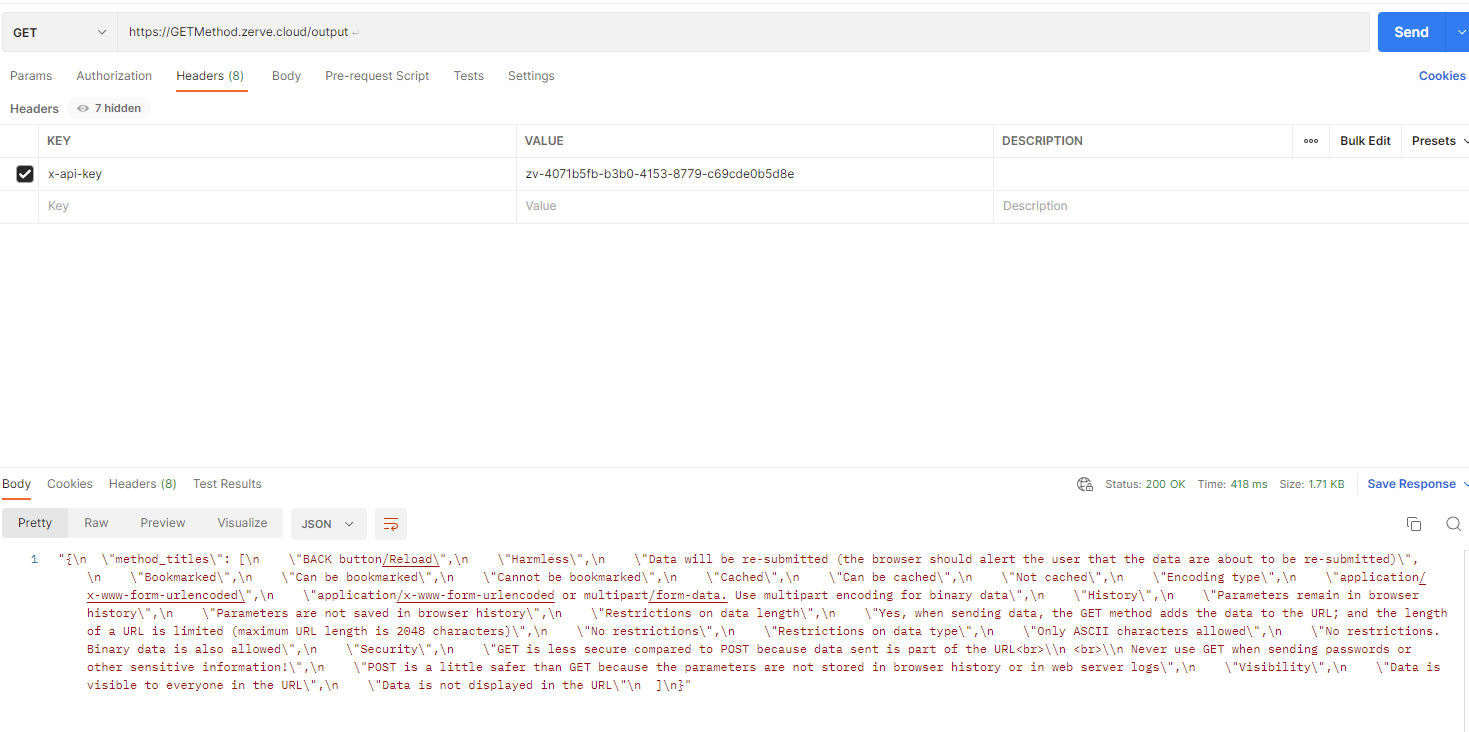
GET method requests data from a specified resource without altering the state of the resource or causing any side effects.&#x20;

### **Code Samples for using the API**

**CURL**

```
// Some code
curl -X GET https://GETMethod.zerve.cloud/output
-H "Accept: application/json" \
-H "Authorization: Bearer YOUR_ACCESS_TOKEN"
```

**Python**

```python
// Some code
import requests
url = "https://GETMethod.zerve.cloud/output" 
api_token = "YOUR_API_TOKEN" # Replace with your actual API token
headers = { "Accept": "application/json", "Authorization": f"Bearer {api_token}" }
response = requests.get(url, headers=headers)
if response.status_code == 200:
    print(response.json())
else:
    print(f"Error: {response.status_code}, {response.text}")
```

#### Postman <a href="#responses" id="responses"></a>

<figure><img src="/files/BG1enFpvjZV7ZLoptNLx" alt=""><figcaption><p>GET in Postman</p></figcaption></figure>

## POST Method

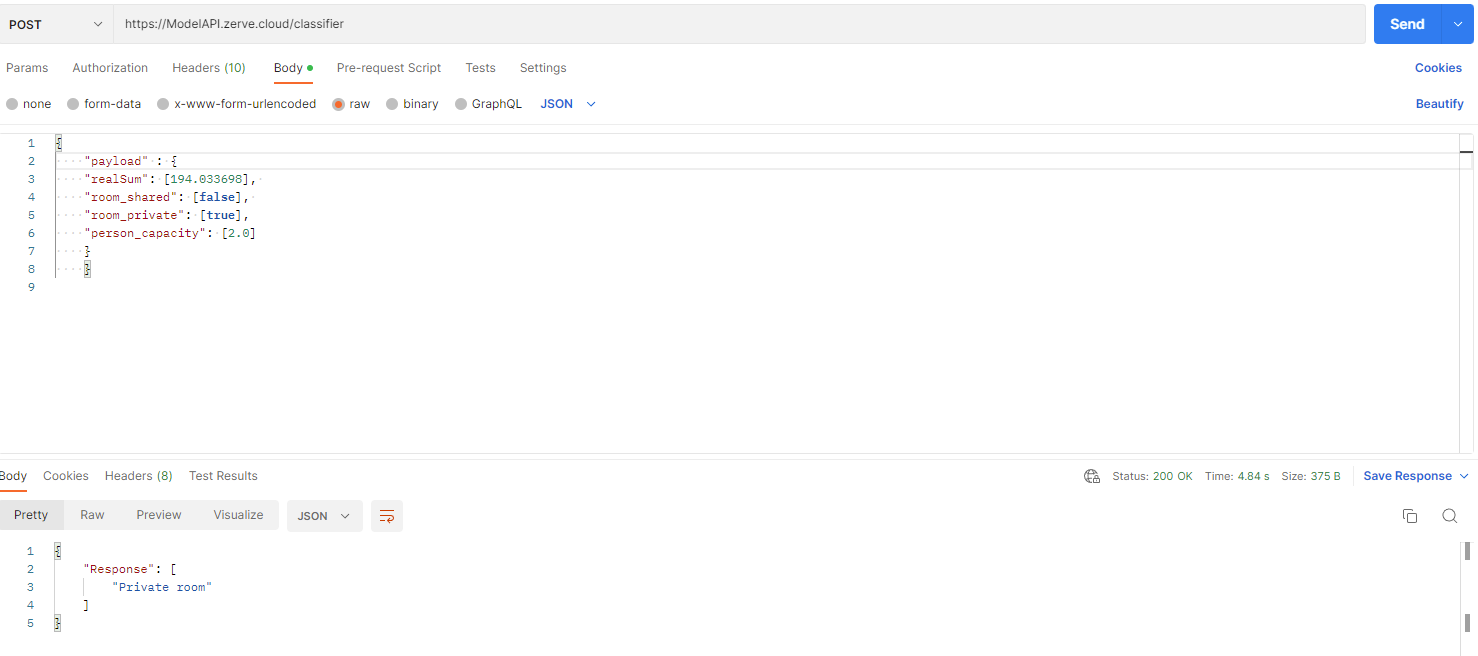
POST method is used to send data to the server so it can process it, save it, or perform an action.

### **Code Samples for using the API**

**CURL**

```
// Some code
curl -X GET https://ModelAPI.zerve.cloud/classifier
-H "Content-Type: application/json" \
-H "Accept: application/json" \
-H "Authorization: Bearer YOUR_ACCESS_TOKEN"
```

**Python**

```python
// Some code
import requests

url = 'https://ModelAPI.zerve.cloud/classifier'
data = {
    "payload" : {
    "realSum": [194.033698], 
    "room_shared": [false], 
    "room_private": [true],
    "person_capacity": [2.0]
    }
    }
response = requests.post(url, json=data)
if response.status_code == 200:
    print(response.json())
else:
    print(f"Error: {response.status_code}, {response.text}")

```

**Postman**

<figure><img src="/files/8GA8owipLac5RHZa7NDB" alt=""><figcaption><p>POST in Postman</p></figcaption></figure>

### **API Method Responses**

<table><thead><tr><th width="98">Status</th><th width="186">Meaning</th><th>Description</th></tr></thead><tbody><tr><td><strong>200</strong></td><td><strong>OK</strong></td><td>The request was successful, and the server is returning the requested data.</td></tr><tr><td><strong>204</strong></td><td><strong>No Content</strong></td><td>The server successfully processed the request but is not returning any content in the response body. </td></tr><tr><td><strong>400</strong></td><td><strong>Bad Request</strong></td><td>The server could not understand the request. This is usually due to malformed syntax, missing required parameters, or invalid data.</td></tr><tr><td><strong>401</strong></td><td><strong>Unauthorized</strong></td><td>The request requires user authentication.</td></tr><tr><td><strong>403</strong></td><td><strong>Forbidden</strong></td><td>The server understood the request, but the server refuses to authorize it.</td></tr><tr><td><strong>404</strong></td><td><strong>Not Found</strong></td><td>The requested resource could not be found on the server.</td></tr><tr><td><strong>500</strong></td><td><strong>Internal Server Error</strong></td><td>A generic error message indicating that an unexpected condition was encountered on the server (misconfiguration).</td></tr><tr><td><strong>502</strong></td><td> <strong>Bad Gateway</strong></td><td>The server, while acting as a gateway or proxy, received an invalid response from the upstream server it accessed.</td></tr></tbody></table>


---

# Agent Instructions: Querying This Documentation

If you need additional information that is not directly available in this page, you can query the documentation dynamically by asking a question.

Perform an HTTP GET request on the current page URL with the `ask` query parameter:

```
GET https://docs.zerve.ai/guide/notebook-view/deployment/api-methods.md?ask=<question>
```

The question should be specific, self-contained, and written in natural language.
The response will contain a direct answer to the question and relevant excerpts and sources from the documentation.

Use this mechanism when the answer is not explicitly present in the current page, you need clarification or additional context, or you want to retrieve related documentation sections.