> For the complete documentation index, see [llms.txt](https://docs.zerve.ai/guide/llms.txt). Markdown versions of documentation pages are available by appending `.md` to page URLs; this page is available as [Markdown](https://docs.zerve.ai/guide/canvas-view/assets/connections.md).
# Connections
Zerve offers support to integrate with popular database solutions which can be queried directly from canvas and can be used across different blocks/languages.
Currently Zerve supports the following database connections with others following soon.
1. Snowflake
2. PostgreSQL
3. MySQL
4. MariaDB
5. BigQuery
6. Weaviate
## Setting up a Connection:
1. Go to Assets -> Connections -> Create Connections from your Zerve account's home page.
connection setup
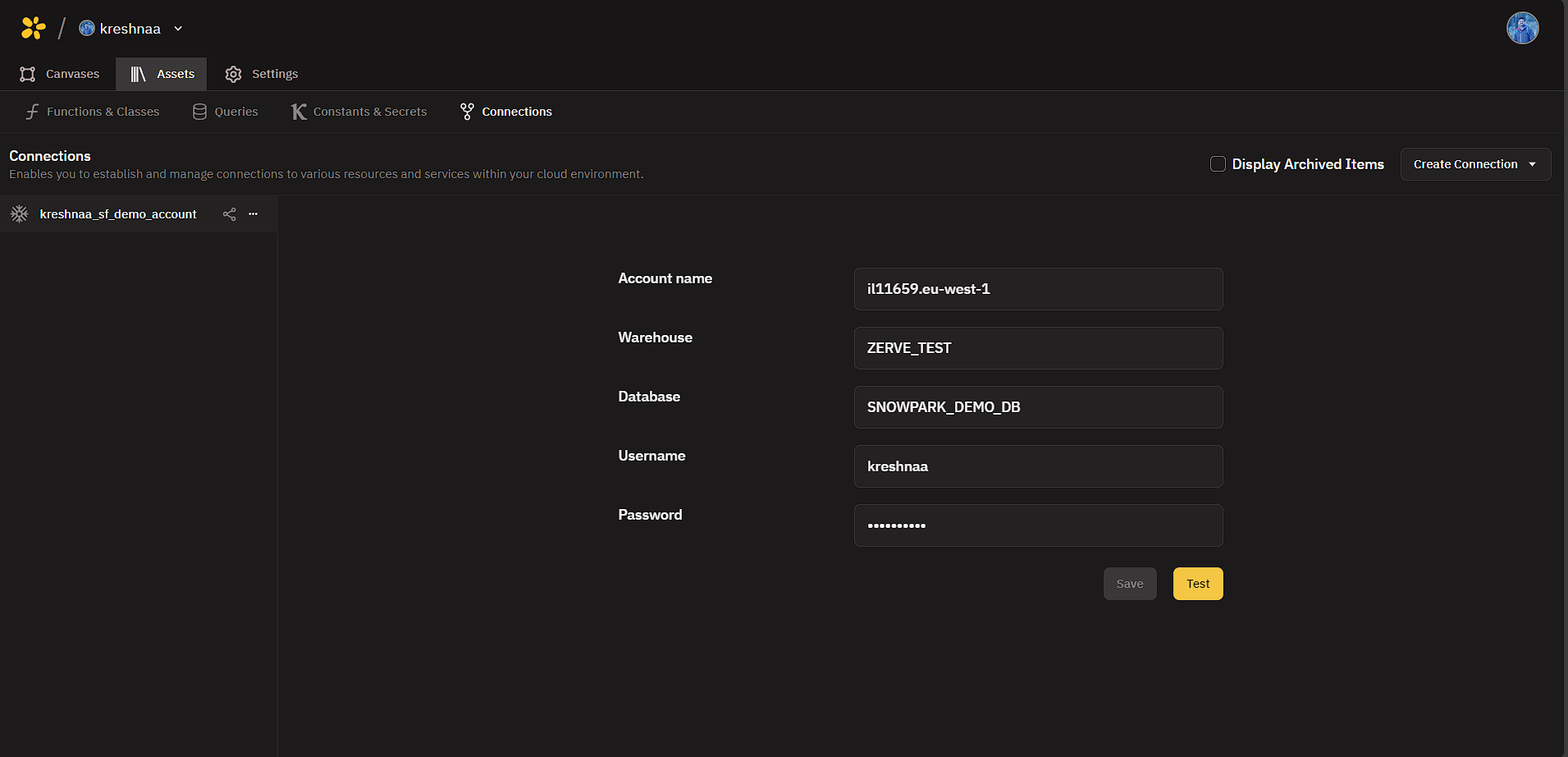
2. Select the required connection to setup and add the necessary connection parameters.
snowflake connection setup
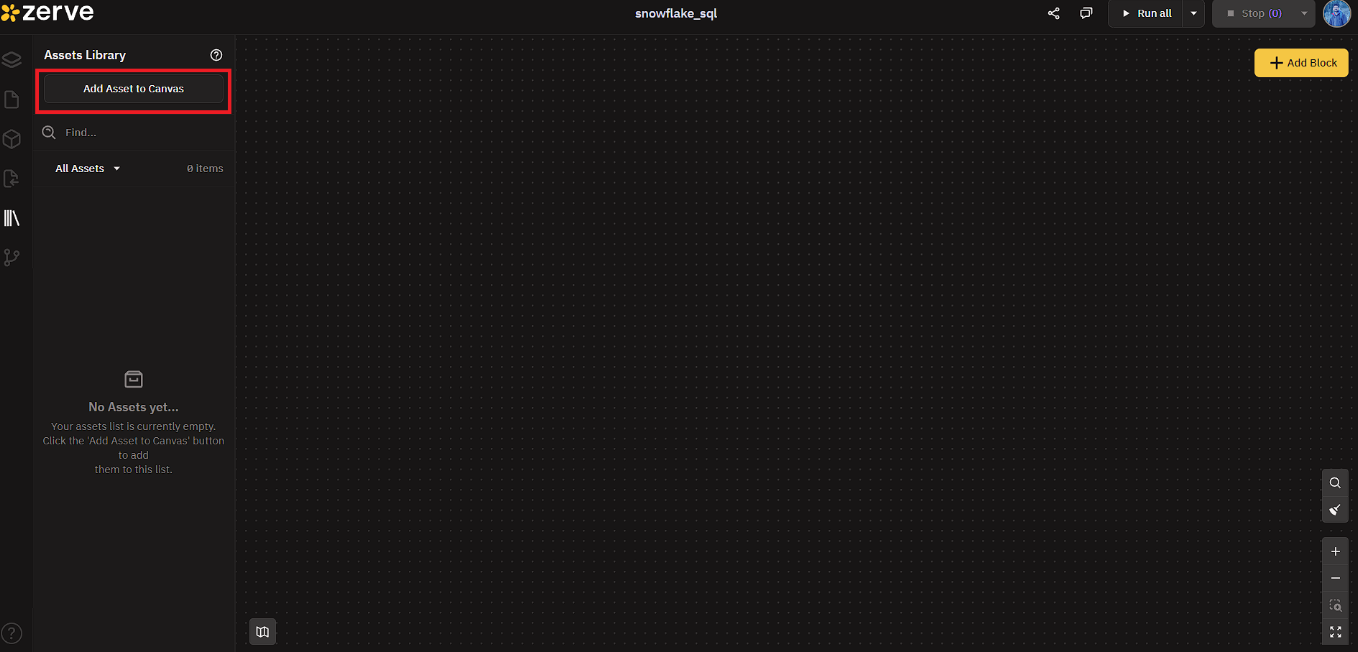
3. Once saved this connection can be accessed from SQL blocks in each canvas.
add connection asset to canvas
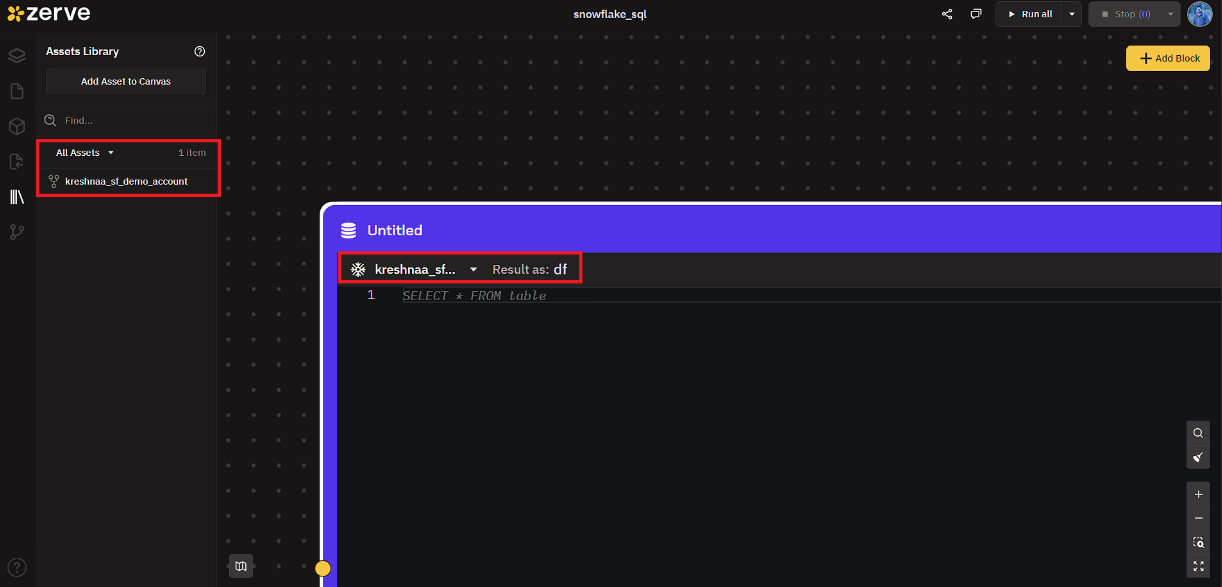
4. Access the connection from SQL Block and store the queried table as df.
connect from sql block
5. Snowflake SQL query is executed and the result is stored as a dataframe in df variable.
full screen mode of SQL Query
This variable is now available for downstream python blocks as an input variable.